Описание
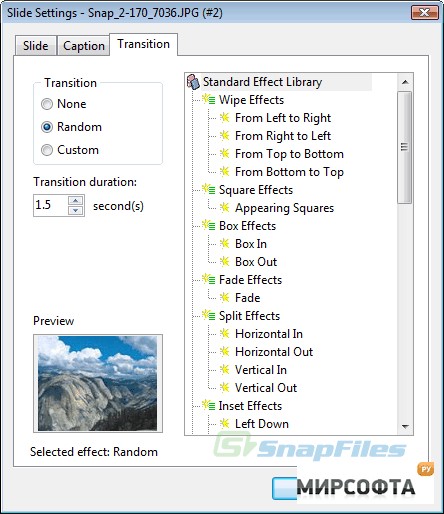
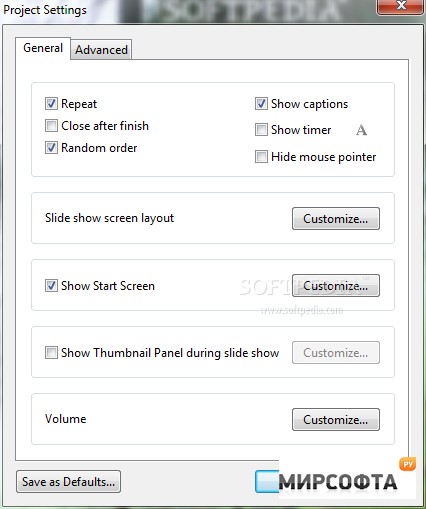
Creating computer slide shows is very easy with MySlideShow. This simple and straightforward software application offers its users a comprehensive toolkit for making bright, memorable and esthetically pleasing slide shows and photo albums. The program is quite elementary - select images, indicate the desired sequence (or choose random order), apply special transition effects, and you get a professionally looking slide show with one button click. Conveniently, photo albums, thumbnail web galleries, screensavers and video CDs can be created with the same program! Features: • Has a convenient user interface (similar to Windows Explorer) for adding image files to your slide show from your image folders. • Shows selected images and slides in preview and full screen modes. • Shows slides as thumbnails, which makes it easier to change their sequence or sort them. • Allows you to customize various slide show parameters. • Allows you to add and edit the slide Captions. • Allows you to rotate your images to the position you want without an image editor. • Allows you to change the settings either for the whole slide show or for individual slides. • Allows you to synchronize slides with music. • Allows you to allocate slides in your own transition points on the timeline of the background playlist using the Timeline Editor (only in Gold version). • Allows you to place text, small images, web links, video clips and Flash animations on slides using the Slide Editor (only in Gold version). • Offers Manual and Automatic slide show modes. • Offers special Start Screen option allowing you to view your photos as Previews or Filmstrip. • Saves slide show projects in special text format that allows you to play and edit them later on. • Has font and color settings for the slide captions. • Has font and color settings for the image information text. • Plays background music during whole slide show from a special play list. Each track in the playlist can be customized with the Start Time, End Time, Fade In and Fade Out options. • Supports Transition Effects. • Supports Motion (Pan & Zoom) Effects for output video files (only in Gold version). • Allows you to collect several executable slide shows into an Album. • Creates output slide shows as standalone executable (.exe) files or screen savers. • Creates output slide shows as video files and burns video CDs and DVDs. • Generates HTML pages with thumbnails (web galleries) for publishing on the web.